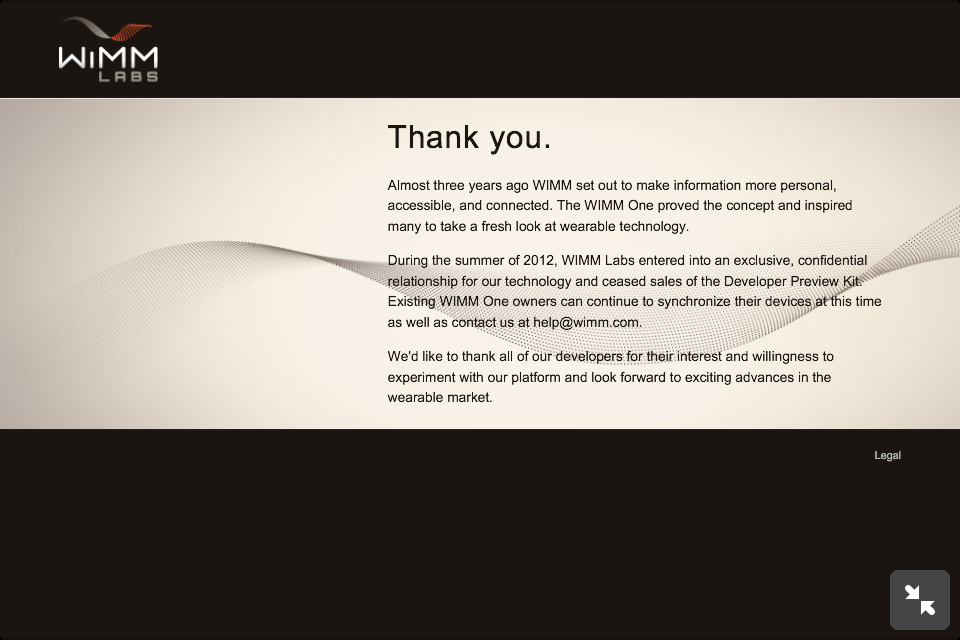
残念ながら豆腐。。。。。。フォントはいってないんだね。。。

dekuyou-no-MacBook-Air:dfu-util-0.7 dekuyou$ sudo port selfupdate新しいの入れなおせと言われました。
WARNING: Improper use of the sudo command could lead to data loss
or the deletion of important system files. Please double-check your
typing when using sudo. Type "man sudo" for more information.
To proceed, enter your password, or type Ctrl-C to abort.
Password:
---> Updating MacPorts base sources using rsync
MacPorts base version 2.0.4 installed,
MacPorts base version 2.1.3 downloaded.
---> Updating the ports tree
---> MacPorts base is outdated, installing new version 2.1.3
Installing new MacPorts release in /opt/local as root:admin; permissions 0755; Tcl-Package in /Library/Tcl
Error: /opt/local/bin/port: port selfupdate failed: Error installing new MacPorts base: shell command failed (see log for details)
dekuyou-no-MacBook-Air:dfu-util-0.7 dekuyou$
dekuyou-no-MacBook-Air:~ dekuyou$ port version
Version: 2.1.3
dekuyou-no-MacBook-Air:~ dekuyou$ sudo port selfupdate
Password:
---> Updating MacPorts base sources using rsync
MacPorts base version 2.1.3 installed,
MacPorts base version 2.1.3 downloaded.
---> Updating the ports tree
---> MacPorts base is already the latest version
The ports tree has been updated. To upgrade your installed ports, you should run
port upgrade outdated
dekuyou-no-MacBook-Air:~ dekuyou$
dekuyou-no-MacBook-Air:~ dekuyou$ port search dfu-util
dfu-util @0.7 (cross, devel)
Device firmware update (DFU) USB programmer
dekuyou-no-MacBook-Air:~ dekuyou$
dekuyou-no-MacBook-Air:~ dekuyou$ sudo port install dfu-utildfu-util がインストールできました。
Password:
Warning: The Command Line Tools for Xcode don't appear to be installed; most ports will likely fail to build.
Warning: See http://guide.macports.org/chunked/installing.xcode.html for more information.
---> Computing dependencies for dfu-util
---> Dependencies to be installed: libusb
---> Fetching archive for libusb
---> Attempting to fetch libusb-1.0.9_0.darwin_12.x86_64.tbz2 from http://jog.id.packages.macports.org/macports/packages/libusb
---> Attempting to fetch libusb-1.0.9_0.darwin_12.x86_64.tbz2.rmd160 from http://jog.id.packages.macports.org/macports/packages/libusb
---> Installing libusb @1.0.9_0
---> Activating libusb @1.0.9_0
---> Cleaning libusb
---> Fetching archive for dfu-util
---> Attempting to fetch dfu-util-0.7_0.darwin_12.x86_64.tbz2 from http://jog.id.packages.macports.org/macports/packages/dfu-util
---> Attempting to fetch dfu-util-0.7_0.darwin_12.x86_64.tbz2.rmd160 from http://jog.id.packages.macports.org/macports/packages/dfu-util
---> Installing dfu-util @0.7_0
---> Activating dfu-util @0.7_0
---> Cleaning dfu-util
---> Updating database of binaries: 100.0%
---> Scanning binaries for linking errors: 100.0%
---> No broken files found.
dekuyou-no-MacBook-Air:~ dekuyou$
dekuyou-no-MacBook-Air:~ dekuyou$ dfu-util
dfu-util 0.7
Copyright 2005-2008 Weston Schmidt, Harald Welte and OpenMoko Inc.
Copyright 2010-2012 Tormod Volden and Stefan Schmidt
This program is Free Software and has ABSOLUTELY NO WARRANTY
Please report bugs to dfu-util@lists.gnumonks.org
Error: You need to specify one of -D or -U
Usage: dfu-util [options] ...
-h --help Print this help message
-V --version Print the version number
-v --verbose Print verbose debug statements
-l --list List the currently attached DFU capable USB devices
-e --detach Detach the currently attached DFU capable USB devices
-d --device vendor:product Specify Vendor/Product ID of DFU device
-p --path bus-port. ... .port Specify path to DFU device
-c --cfg config_nr Specify the Configuration of DFU device
-i --intf intf_nr Specify the DFU Interface number
-a --alt alt Specify the Altsetting of the DFU Interface
by name or by number
-t --transfer-size Specify the number of bytes per USB Transfer
-U --upload file Read firmware from device into <file>
-D --download file Write firmware from <file> into device
-R --reset Issue USB Reset signalling once we're finished
-s --dfuse-address address ST DfuSe mode, specify target address for
raw file download or upload. Not applicable for
DfuSe file (.dfu) downloads
dekuyou-no-MacBook-Air:~ dekuyou$
 |
| 左上ボタン長押しするも反応がない。。。 |

03-21 01:02:22.021: I/Gmail(10383): Schedule indexing for dekuyou@gmail.com
03-21 01:02:22.341: I/Gmail(10383): Sending notification intent: Intent { act=com.android.mail.action.update_notification typ=application/gmail-ls (has extras) }
03-21 01:02:22.349: I/Gmail(10383): Sending provider changed intent: Intent { act=android.intent.action.PROVIDER_CHANGED dat=content://gmail-ls/unread/^i (has extras) }
03-21 01:02:22.497: I/Gmail(10383): Sending notification intent: Intent { act=com.android.mail.action.update_notification typ=application/gmail-ls (has extras) }
03-21 01:02:22.497: I/Gmail(10383): Sending provider changed intent: Intent { act=android.intent.action.PROVIDER_CHANGED dat=content://gmail-ls/unread/^iim (has extras) }
03-21 01:02:22.544: W/Gmail(10383): Showing notification with unreadCount of 2 and unseenCount of 2
The official firmware release is 1.3 (build 459-405).